
The best prompts to humanize AI text do three things: they set a plain voice, ban the filler phrases models love, and forbid invented facts. Start with prompt 1 if you want one reliable all-purpose option. Pick prompt 2 if the text must sound like you, prompt 3 for long blog posts, prompt 4 for essays and coursework, and prompt 5 if a detector flagged specific sentences.
The problem is familiar. You ask ChatGPT, Claude, or Gemini for a draft and get clean grammar, even sentence lengths, and words like "crucial" and "delve." Asking the model to "make it sound human" rarely helps. The instruction is vague, so the model fills the gap with more of the same polish.
Below are five copy-and-paste prompts that work in all three assistants, with the reasoning behind each. AI Essay Detectors scores text sentence by sentence, so these prompts target the patterns that tend to get sentences flagged. No prompt guarantees a particular score, so you still need to read and edit the result yourself.
1. The all-purpose style rules prompt
This is the best prompt to humanize AI text when you only want one. It gives the model a role, a short rule set, and a hard limit on what it may change.

The prompt
Paste this into a new chat and add your draft at the bottom. You can also save the rules as custom instructions, but trim them to fit the character limit.
You are a human editor. Rewrite the text below in plain, direct English, the way a knowledgeable person would explain it to a colleague.

Rules:
- Use active voice and short sentences, but vary their length.
- Use contractions where they sound natural.
- Replace abstract phrases with concrete details.
- Cut filler openers like "In today's world" and "It is important to note."
- Use commas and periods. No em dashes, no semicolons.
- Avoid these words: delve, tapestry, landscape, crucial, moreover, furthermore, utilize.
- Keep every fact unchanged. Do not add facts, quotes, or statistics.

Return only the rewritten text.

TEXT:
[paste your draft]
Why it works and who it suits
Rules beat vibes. "Sound human" gives the model nothing to act on, while concrete rules like short sentences and banned phrases change measurable features of the text. The line about unchanged facts matters most, because rewriting tempts models to invent details that you then have to catch.
Specific rules change the text, and a vague request for a human tone does not.
Use it for emails, blog drafts, and product copy where you want a clean, direct voice fast. Expect a strong first pass, not a finished piece. Read the result aloud and fix anything stiff before you publish.
2. The voice-matching prompt
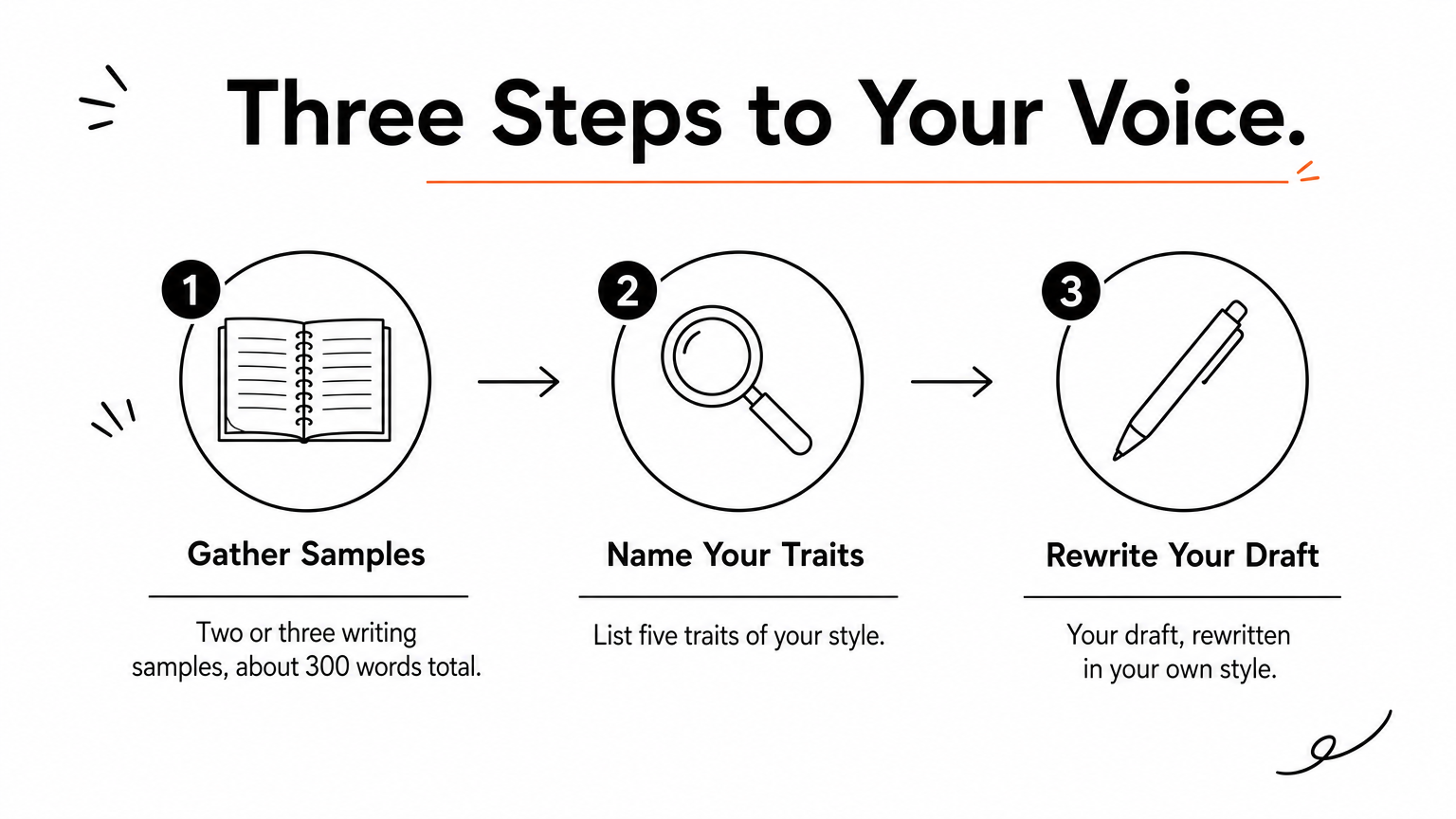
A humanize AI text prompt works best when the model has a real human to imitate. Give it your own writing and it stops guessing what "natural" means.
The prompt
Paste two or three samples of your own writing, about 300 words in total, then your draft.
Here are samples of my writing:

[paste 2 or 3 short samples]

First, list five specific traits of my style: typical sentence length, vocabulary level, how I open paragraphs, punctuation habits, and phrases I repeat.

Then rewrite the draft below in that style. Keep the meaning and facts the same. Do not reuse content from the samples.

DRAFT:
[paste your draft]
Why it works and who it suits
The prompt works in two steps. Listing traits first forces the model to analyze before it writes, and you can read that list and correct it before accepting the rewrite. If the list says you love semicolons and you never use them, say so and rerun.
This is the right pick for bloggers, students, and anyone with an archive of past writing. Use only text you wrote yourself. If you have no samples, go back to prompt 1.
3. The rhythm and structure breaker prompt
This prompt attacks uniform rhythm, one of the clearest signs of machine writing. Reach for it when the vocabulary is fine but the piece still feels templated.
The prompt
Run it on one section at a time for long drafts, because models tend to compress long inputs.
Rewrite the text below so it no longer follows a template.

- Mix sentence lengths. Some under 8 words, some over 25.
- Make paragraph lengths uneven. One-sentence paragraphs are fine.
- Start each paragraph with a different word.
- Remove "not only, but also" constructions, lists of exactly three items, and closing sentences that repeat the paragraph.
- Delete any sentence that adds no information.

Keep every fact. Return only the rewritten text.

TEXT:
[paste your draft]
Why it works and who it suits
Models write predictably. Each sentence lands at a similar length, and each paragraph ends with a tidy recap. Predictable rhythm is what readers feel as "AI," and it is the kind of statistical pattern detectors look for.
Humanizing is mostly about breaking predictability, not swapping synonyms.
It suits articles, reports, and newsletters. For a cleaner result, run prompt 1 first for vocabulary, then this one for structure.
4. The academic writing prompt
The best prompt to humanize AI text for academic writing keeps a formal register but adds specificity and leaves the evidence to you. It avoids the biggest academic risk, which is fabricated sources.

The prompt
Use it on one paragraph at a time so your thesis and argument order stay intact.
Revise the paragraph below for a college essay. Keep a formal but personal tone.

- Make each claim more specific. Where a claim needs evidence, an example, or a citation, insert a bracketed placeholder like [add example from class reading] instead of inventing one.
- Do not create sources, quotes, or statistics.
- Use first person only where the assignment allows it.
- Avoid stock transitions such as "Moreover," "Furthermore," and "In conclusion."
- Keep my thesis and the order of my argument unchanged.

PARAGRAPH:
[paste your paragraph]
Why it works and who it suits
Models readily invent citations that look real. The placeholders force you to supply real material, and that material is what makes the essay yours. A paragraph full of your own examples reads differently from one built on generic claims.
This prompt suits students revising their own drafts, including non-native English writers polishing grammar. Check your instructor's AI policy first. Some courses ban AI drafting, and others require you to disclose any use.
5. The flagged-sentence rewrite prompt
This prompt rewrites only the sentences a detector marked, so everything else stays as you wrote it. It is the most efficient humanize AI text prompt for a long draft that is mostly fine.
The prompt
First run your text through a detector. AI Essay Detectors returns an overall AI probability, an AI fraction (the share of sentences scoring 50% or higher), and a heatmap. Green sentences lean human, amber ones are uncertain, and red ones lean AI. It is free, needs no signup, and handles up to 6,000 characters per check. Copy the red sentences into this prompt.
Below is a paragraph. The sentences under FLAGGED were marked as likely AI-written.

Rewrite only the flagged sentences. For each one, change the structure, choose plainer words, and work in the concrete detail I give under DETAILS. Leave every other sentence exactly as written. Keep the meaning. Do not add new facts.

PARAGRAPH:
[paste the paragraph]

FLAGGED:
1. [sentence]
2. [sentence]

DETAILS:
[an example, number, or opinion of your own]
Why it works and who it suits
The targeted edit saves time and protects the parts of your draft that already read well. The DETAILS line is the key. A flagged sentence is usually vague, and a real example from you fixes vagueness better than any rewording. Paste the revised paragraph back into the detector to see whether the heatmap changed.
Treat a flagged sentence as a prompt to add something specific, not as a verdict.
Editors, students, and teachers' advisees all use this loop. Keep the limits in mind: scores are statistical estimates, not proof of authorship. Short, formal, and non-native writing can score as AI even when a person wrote it. No prompt can promise a given result.
Start with one prompt, then edit by hand
Prompt 1 handles most jobs. Add prompt 2 for your voice, prompt 3 for rhythm, prompt 4 for coursework, and prompt 5 for flagged sentences. Whichever you use, the same habits apply: forbid invented facts, add details only you know, and read the final text aloud.
When your rewrite is done, run it through AI Essay Detectors and read your AI detection score to see which sentences still read as machine-written. Then use prompt 5 on just those lines and make the final edits yourself.
